
What is new compared to the Pixel 9a?
If you come from a Pixel 9 or Pixel 9a, the Pixel 10a may seem like a relatively small step at first glance. But there are enough changes to position it as a real update.
The main improvements over the Pixel 9a at a glance:
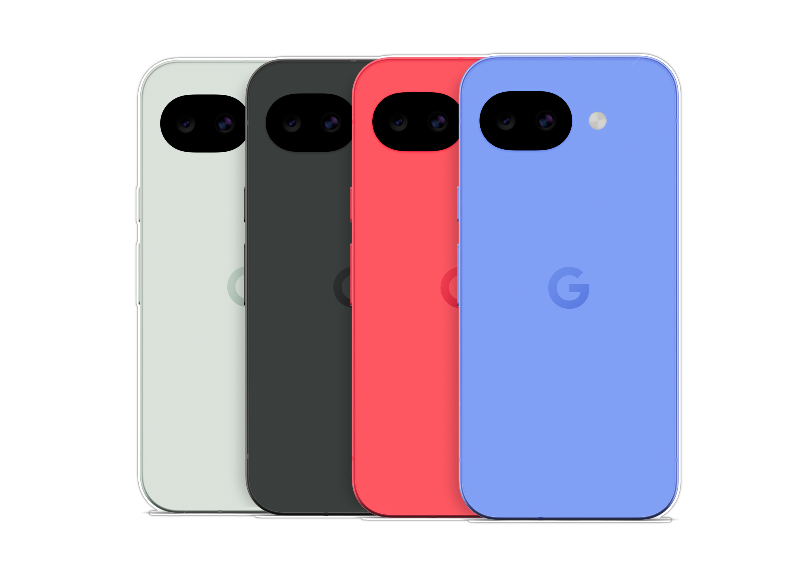
- A new, completely flat design with a camera bar that is recessed into the housing.
- A brighter 6.3-inch Actua display with peak brightness up to 3000 nits.
- Faster charging than the 9a, plus 10 W wireless charging.
- Up to 120 hours with Extreme Battery Saver enabled.
- Corning Gorilla Glass 7i and the claim that this is the toughest A-series yet.
- Satellite SOS for the first time in the A-series.
- New AI photo features such as Camera Coach, Auto Best Take, and Add Me.
- A clearer positioning as an AI-first device thanks to Tensor G4 and Gemini.
In other words: the 10a is not just "a Pixel 9a with a new number", but rather the version in which Google truly integrates the A-series into the broader Pixel and Gemini narrative.
Design and durability: flatter, tighter, more mature
In terms of design and styling, the Google Pixel 10a is immediately recognizable as a Pixel, but as a more mature version of the A-series. The back is completely flat, the camera bar blends neatly into the housing, and the phone looks calmer than many other mid-range devices. It's not just nice for photos: it also means that the 10a lies flat on the table and is less of a "wobbly phone" when you respond to a message during a meeting.
At 183 grams, it’s not extremely light, but it feels nice to hold. The edges and matte surface also help: the device feels more serious than some earlier A models that still screamed a bit "midrange" as soon as you picked them up.

The Google Pixel 10a is compact and handy enough to take it anywhere effortlessly.
Google also makes a sustainability statement with the 10a. The frame is made from 100% recycled aluminum, the back from 81% recycled plastic, and recycled cobalt, copper, gold, and tungsten also appear for the first time in the A-series. In total, at least 36% of the device's product weight consists of recycled materials. That sounds like a green footnote, but it fits into a broader trend where consumers and buyers are looking more closely at lifespan, material use, and repairability.
Visually, Google also aims for "serious, but not boring". The color choices – Lavender, Berry, Fog, and Obsidian – ensure that the 10a stands out among the standard black-gray smartphone crowd without becoming toy-like. Cases in the same shades make it easy to carry the color through. Google also sells cases in the same colors as the devices themselves, making the Pixel 10a visually stronger as a lifestyle product than many other mid-range devices.
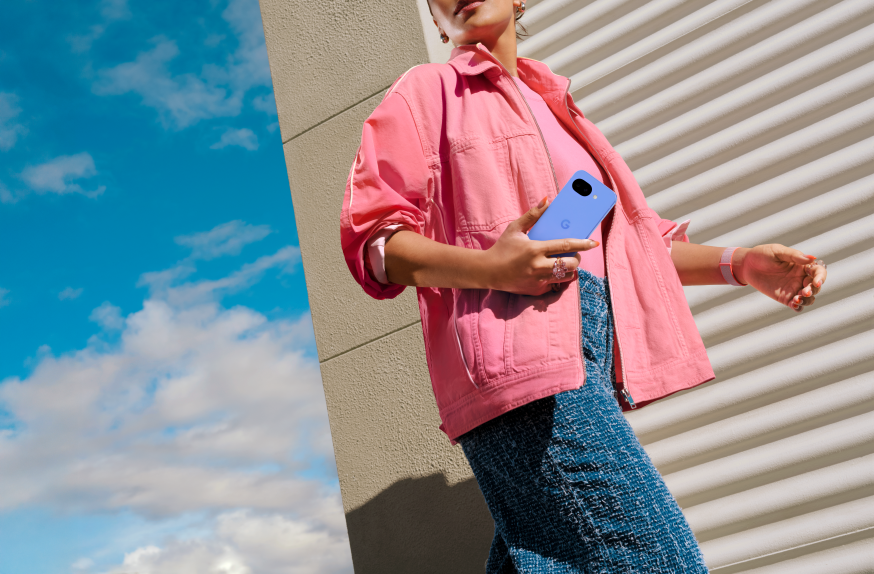
With colors like Lavender and Berry, Google wants to make the Pixel 10a distinctly more than a gray work phone.
Screen, performance, and battery: exactly what you need daily
On the front, there is a 6.3-inch Actua display with pOLED technology, a resolution of 1080 × 2424 pixels, and a refresh rate of 60 to 120 Hz. Google claims the screen is 11% brighter than that of the Pixel 9a, which is particularly nice in practice when you are outdoors a lot: maps, notifications, and emails remain readable without shadow games with your hand.
The peak brightness of up to 3000 nits does not suddenly make the 10a a cinema screen, but it does make it a phone that does not shy away from challenging lighting conditions. Scrolling and animations also look visibly smoother than on the classic 60 Hz panels that you still often see in this price range.
Inside, the Tensor G4 chip runs, combined with 8 GB RAM and 128 GB or 256 GB storage. Don’t expect a benchmark beast that blows gaming phones away; that is not the goal either. Google primarily uses Tensor as an AI chip for daily use: Gemini, camera analysis, voice features, and contextual assistance should run smoothly without you having to think about it. The Titan M2 security chip keeps biometric data and keys shielded from the rest of the system.
The battery is one of the clearest strengths. With 5100 mAh, the Google Pixel 10a reportedly lasts over 30 hours of normal use, and with Extreme Battery Saver, even up to 120 hours. Charging is wired up to 30 W and wireless up to 10 W Qi. In plain English: this is a phone that can last a full work or study day without stress and often still make it through the evening.
Camera and photo AI: stronger than you would expect from an A-series
The cameras have been the real selling point of the Pixel A-line for years, and the 10a tries to deliver on that again. On the back, there is a 48 MP main camera with optical and electronic image stabilization and a 13 MP ultra-wide angle for groups, interiors, and wider scenes. For selfies and video calls, there is a 13 MP camera on the front. Google's Super Res Zoom goes up to 8x, which is surprisingly usable in this price range if you are not looking for telephoto magic.
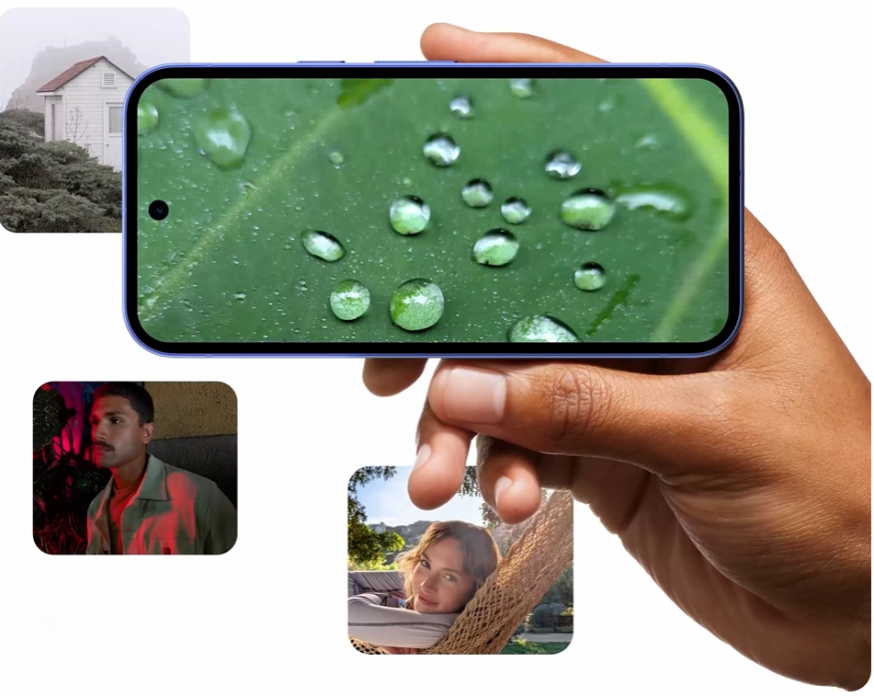
The Pixel 10a should primarily show that it quickly delivers strong photos in many different situations, from detail shots to portraits and low-light.
More important than the sensors is the software layer above. The Pixel 10a comes with a surprisingly large number of AI photo features that were not previously standard in this class. Night Sight remains one of Google's strongest assets for darker scenes, while Macro Focus allows you to get surprisingly close to your subject without everything turning into a blurry soup.
On top of that, Auto Best Take, Camera Coach, and Add Me push the A-series towards "smart camera assistant":
- Auto Best Take analyzes multiple frames and stitches together one group photo in which everyone looks their best.

With Auto Best Take, Pixel combines multiple frames into one group photo where everyone looks their best.
- Camera Coach uses Gemini models to help you live with framing and lighting, especially for those who are not photographers.
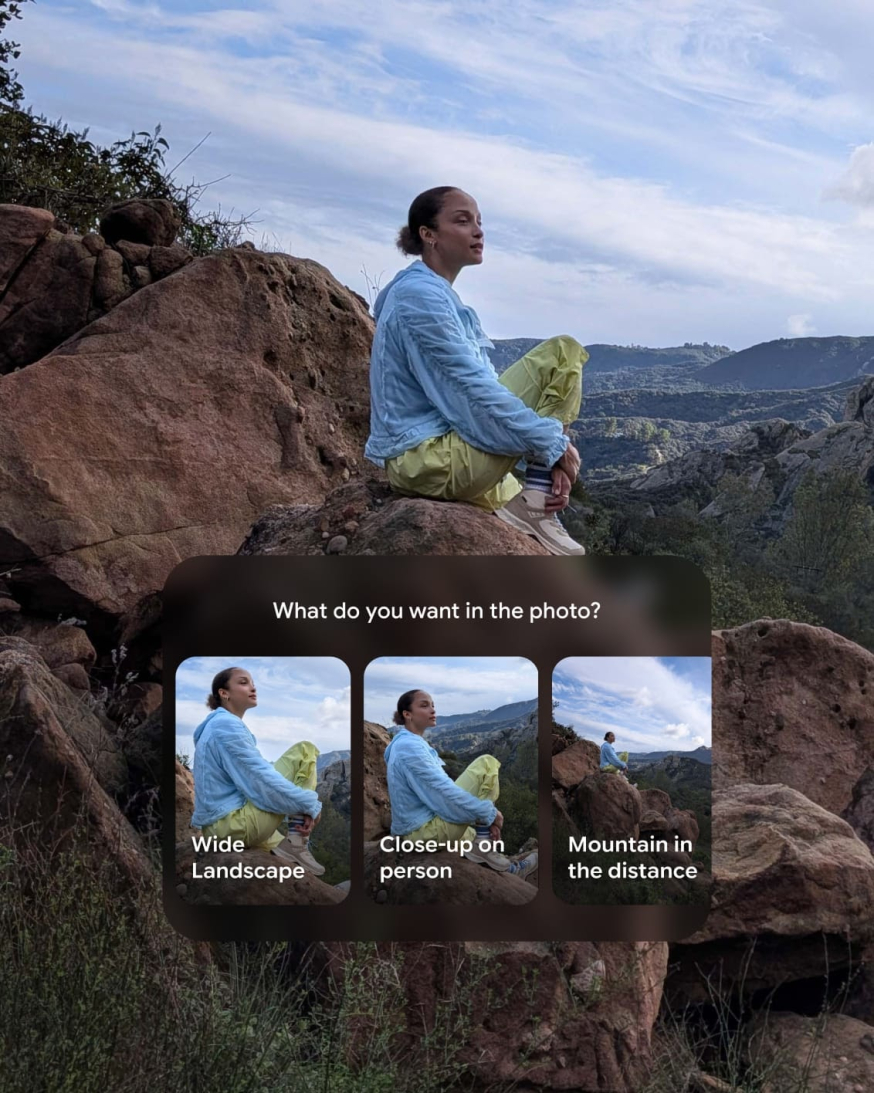
Camera Coach uses Gemini models to make suggestions for composition and framing, especially for those who are not photographers.
- With Add Me, you can add yourself or a colleague to a photo afterward, for example, the person who took the photo – this can now also be done with larger groups.

Add Me makes it easier to include the photographer in the group photo, without tripod hassle or a second attempt.
Extra feature in Google Photos for the Pixel 10a
An important extra is that Google Photos on the 10a also supports AI editing "by simply asking". You can indicate in plain language what you want to adjust – remove an object, a different crop, a bit more light – after which the software executes the suggestion. This makes the phone much more interesting for anyone who needs to create content quickly but doesn't want to open Lightroom or Photoshop first.

Even after taking photos, the Pixel 10a helps: in Google Photos, you can remove distracting elements or adjust your image with AI.
Quick Share to AirDrop is another small but smart addition. Exchanging files between Android and iPhone traditionally feels like a logistical mini-drama, but the Pixel 10a tries to make that easier. Not groundbreaking, but very practical in households and teams where Apple and Android coexist.
Why the Google Pixel 10a camera stands out
- 48 MP main camera + 13 MP ultra-wide
- Macro Focus, Night Sight, and Super Res Zoom
- Camera Coach, Auto Best Take, and Add Me
- AI editing in Google Photos via plain language
- Quick Share now also works with AirDrop
Gemini in practice: where you really benefit
Google explicitly positions the Pixel 10a as an AI-first device. Of course, that comes with marketing language, but the interesting question is: what do you actually notice in practice?
To start with, there is Gemini Live. With this, you talk to your phone as if you are calling an AI colleague: have an email rewritten, brainstorm about a campaign, ask for explanations on a difficult topic, or let Gemini think along about a route or planning. It feels less like a "search engine" and more like an accessible assistant that you always have in your pocket.
It gets creative with Nano Banana, which can combine photos, apply styles, and generate variations. Think of quick social posts, a rough mood board visual, or just some visual inspiration during a train ride.

With Gemini and Nano Banana, Google wants to position the Pixel 10a as a creative AI tool, not just as a chat assistant.
Additionally, there is Circle to Search, perhaps the most accessible of the AI features. Circle a product, highlight a term, or tap on a graph, and Gemini searches for context and explanations without you having to switch apps. That sounds small, but it makes the phone much smarter in daily use.
A second layer of AI is in the almost invisible helpers. Spam filtering for calls, live transcription, smart typing suggestions, and camera assistance run in the background. Important for daily use are the Call Assist features. Clear Calling is widely available and uses AI to filter out background noise like wind, traffic, or trains. Hold for Me and some other Call Assist features are market and language-dependent, so you shouldn't assume they are available in the Netherlands, but the foundation for smarter calling and less spam is definitely there.
For those who primarily use AI from a laptop or desktop, the Google Pixel 10a feels like a logical extension of that workflow. Not because you will run complete work processes on it, but because it makes many small tasks just a bit faster, smarter, and frictionless.
Security, safety, and lifecycle: why IT looks at this
Also in terms of security and lifecycle, the 10a is more serious than you would expect based on the price. The housing is IP68 certified for water and dust resistance, and the screen uses Corning Gorilla Glass 7i, which is supposed to be more resistant to scratches and drops. Google does not call the 10a the most durable A-series yet for nothing.
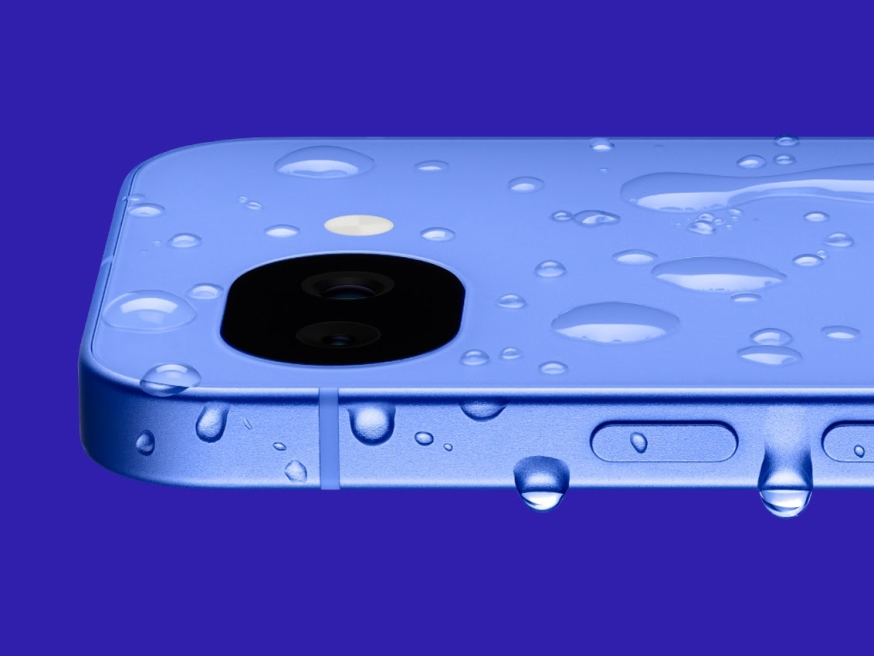
According to Google, the Pixel 10a is the toughest A-series yet, with IP68 protection and Gorilla Glass 7i.
Crucial, however, is the software support: seven years of OS updates, security patches, and Pixel Feature Drops. In a market where many mid-range devices start to slide into obsolescence after three years, this is a serious argument for organizations that want to depreciate phones over a longer period.
New for the A-series is also Satellite SOS. Without Wi-Fi or mobile coverage, the phone can guide you in aiming at a satellite and sending an emergency message. Add to that Google One VPN, Theft Protection, Safety Check, Car Crash Detection, and Family Link, and you see why the 10a aims to be not just a "smart Android", but also a seriously secure device.
Switching, onboarding, and ecosystem
An underestimated part of the Google Pixel 10a documentation is the emphasis on switching without hassle. If you buy through the Google Store, you can already prepare your data for transfer before delivery – from passwords to wallet items and app data.
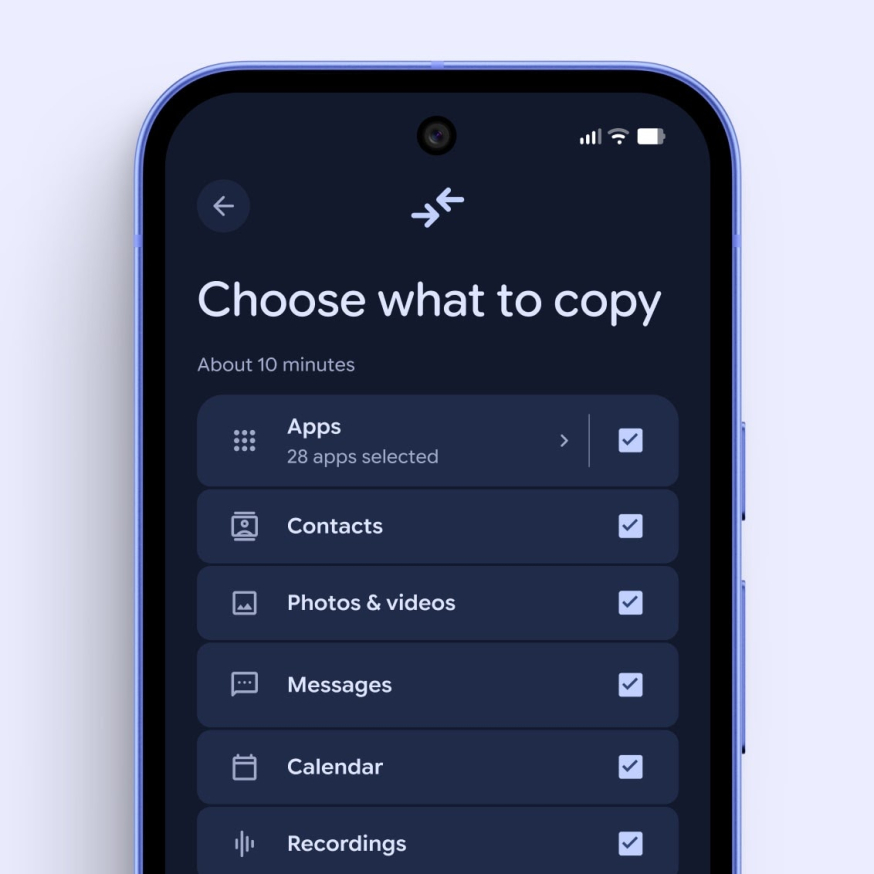
Google places a striking emphasis on switching without hassle, including transferring apps, photos, messages, and other data.
Contextual tips on the device itself and the My Pixel app then guide you through basics like taking screenshots, adjusting settings, and getting to know the device.
RCS and Quick Share should ensure that you continue to communicate and share smoothly in mixed device households. In addition, Google attaches ecosystem benefits to it, such as a trial period for YouTube Premium and Google One with qualifying purchases. Within the broader Pixel ecosystem, the 10a logically connects to accessories like Pixel Buds, for calling, media, and daily use on the go. Those already in the Pixel ecosystem can also combine the 10a with accessories and wearables from the same product line. These are not primary arguments for buying the phone, but they do make the first months with a new device a bit more pleasant.
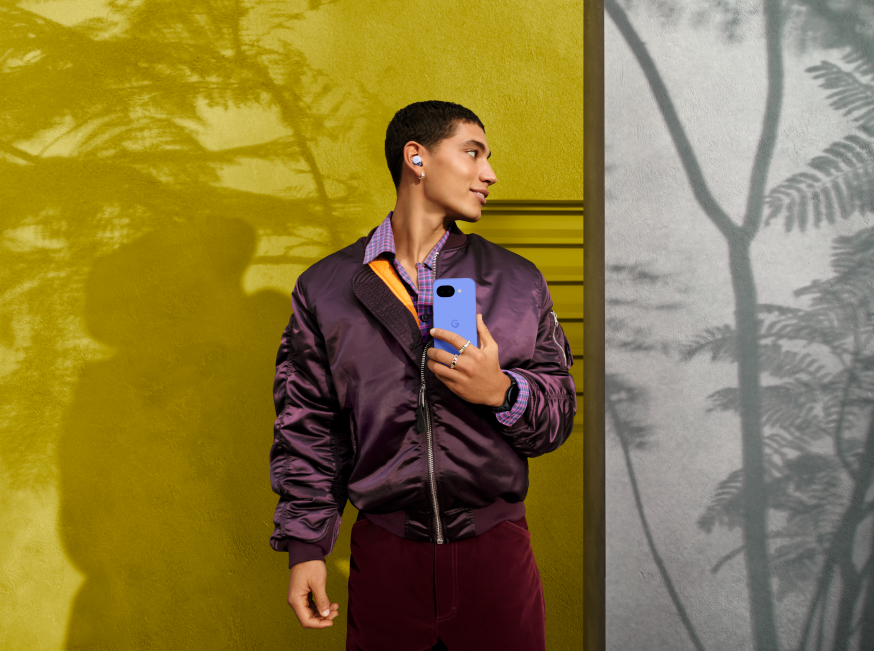
Within the broader Pixel ecosystem, the 10a logically connects to accessories like Pixel Buds.
What do you miss compared to more expensive Pixels?
To make this piece more review-worthy, there should also be an honest block here: the Pixel 10a is not secretly a cheap 10 Pro.
You still miss a few clear luxury elements:
- no telephoto lens or extensive Pro camera setup;
- no absolute premium finish like the more expensive models;
- 8 GB RAM remains just midrange;
- some AI features and Call Assist components are market or language-dependent;
- the device is smart and complete but not designed as a tech showcase.
The concession is therefore not in the basics but in the luxury. And that is exactly why the 10a is interesting: it shows how much "real Pixel" you can still get in 2026 for relatively little money.
Price, variants, and for whom this makes sense
The Dutch lineup is clear, but not as limited as the first blog suggested:
- 128 GB – €549
- 256 GB – €649
The Pixel 10a has been available since March 5 and is now available through the Google Store and well-known providers and retail chains. It comes in Lavender, Berry, Fog, and Obsidian, with matching cases.
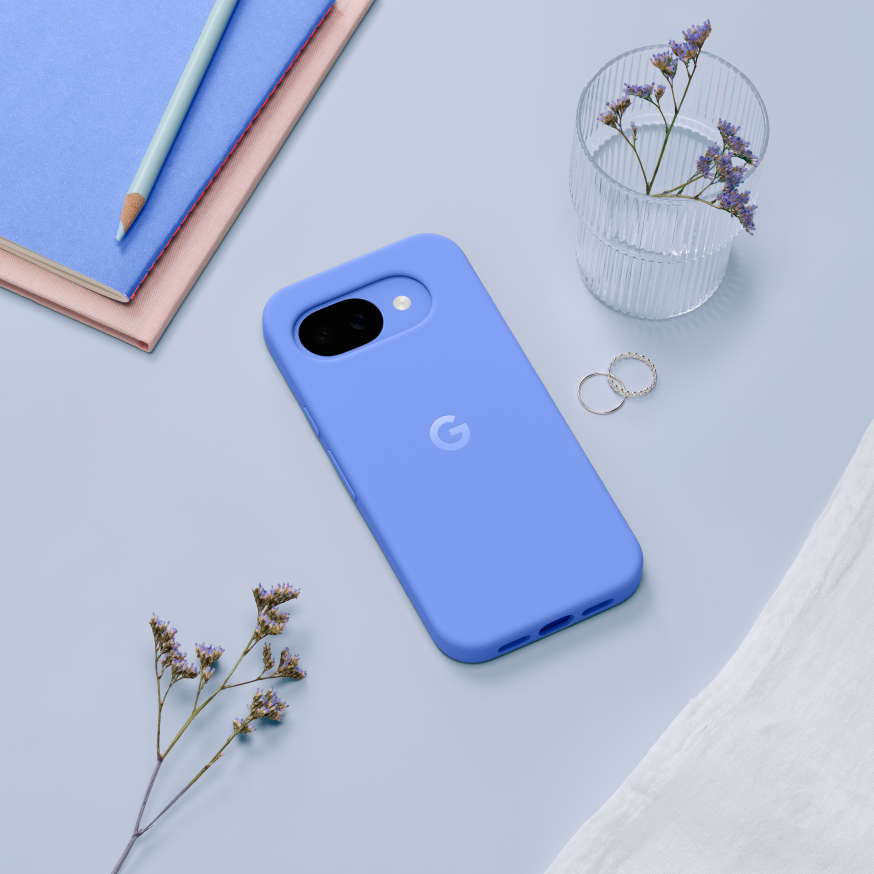
Google also sells cases for the Pixel 10a in the same colors as the device itself.
For whom is the Google Pixel 10a logical?
- Students looking for a device that will last for years and uses AI smartly;
- Creators and marketers who want to get a lot out of their camera and creative tools;
- SMEs looking for a future-proof work phone without Pro pricing;
- IT departments looking at lifecycle, security, and longer depreciation.
Conclusion: A-series price, remarkably complete Pixel experience
Summarizing the Google Pixel 10a, you arrive at a particularly strong mix:
- a camera setup that is truly serious in this price range;
- lots of Pixel photography AI, including AI editing in Google Photos;
- Tensor G4 with Gemini, Gemini Live, Circle to Search, and Nano Banana;
- a bright 6.3-inch 120 Hz screen;
- a large 5100 mAh battery with wired and wireless charging;
- IP68, Gorilla Glass 7i, and seven years of updates;
- plus Satellite SOS and a range of security features.
For €549, that is a package that many traditional mid-range devices struggle with. For students, creators, marketers, IT professionals, and organizations that do not have a Pro budget but want to move forward for years with AI, camera, and support, the Google Pixel 10a is exactly what the A-series once promised: all the essentials – and now quite a bit more.